
Download Leawo DVD Ripper – DVD Ripper, Video Converter, 3D Video, Backup, Video Editing
Overview
Leawo DVD Ripper is a comprehensive multimedia utility designed to simplify the process of converting, editing, and backing up DVD content. This tool serves as a one-stop solution for users seeking to digitize their physical DVD collections, ensuring compatibility with modern devices such as smartphones, tablets, and media players. It enables users to rip DVDs into popular formats like AVI, MP4, and MOV, making it easier to enjoy movies on a wide range of platforms, including Android and iOS devices. The application is particularly valuable for individuals who want to preserve their DVD libraries from physical degradation and enhance playback versatility.
Target users include multimedia enthusiasts, home video archivists, and anyone with a growing collection of DVDs seeking a reliable way to convert and manage their content. The software also supports 3D video conversion, offering an immersive viewing experience for users with compatible displays. While the developer, Leawo Software, is not detailed in the provided information, the app’s feature set suggests a focus on user-centric design and functionality. Real-world applications include creating digital backups, preparing content for mobile playback, and customizing video output with editing tools. In the broader app ecosystem, Leawo DVD Ripper fills a niche for desktop-based media management, offering advanced capabilities beyond basic ripping tools.
Key Features & Functionality
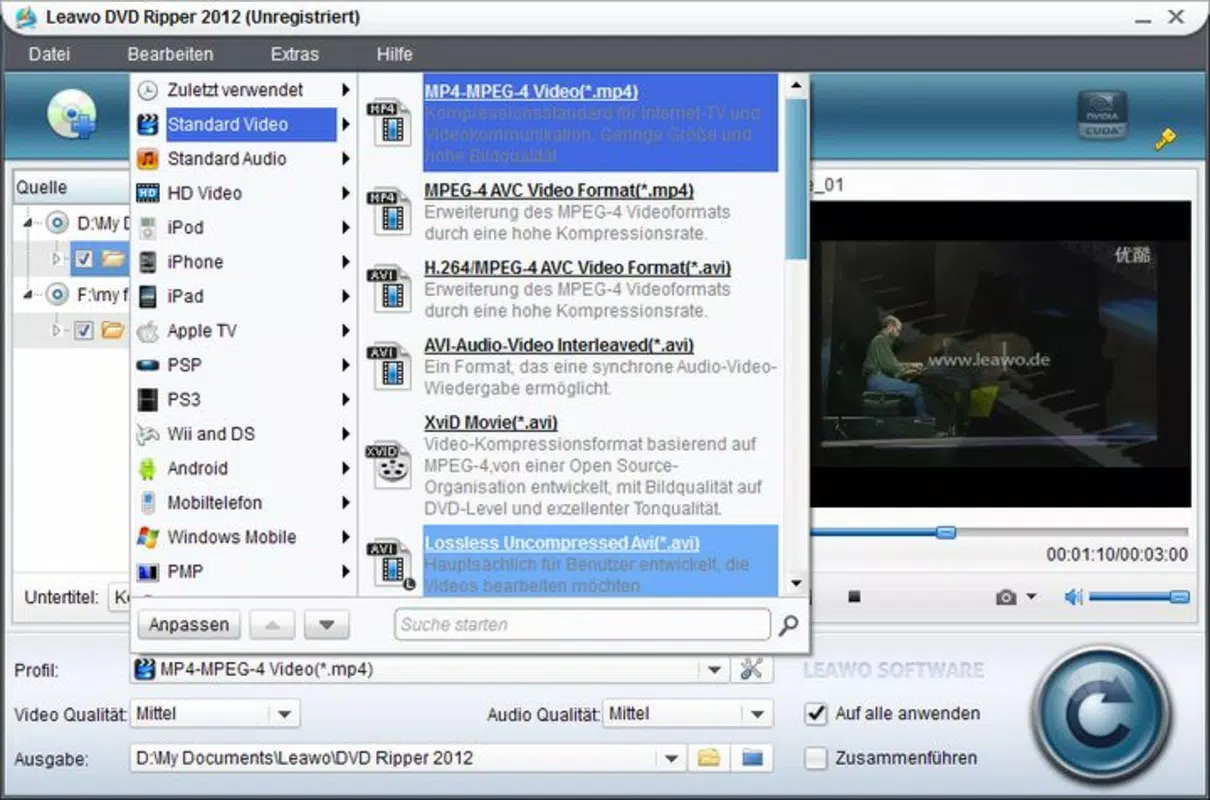
- Multi-Format Output Support: Leawo DVD Ripper allows conversion of DVDs into a wide array of video formats, including AVI, MP4, WMV, and MOV. This ensures broad compatibility across devices, from smartphones to smart TVs, eliminating playback issues caused by format incompatibility.
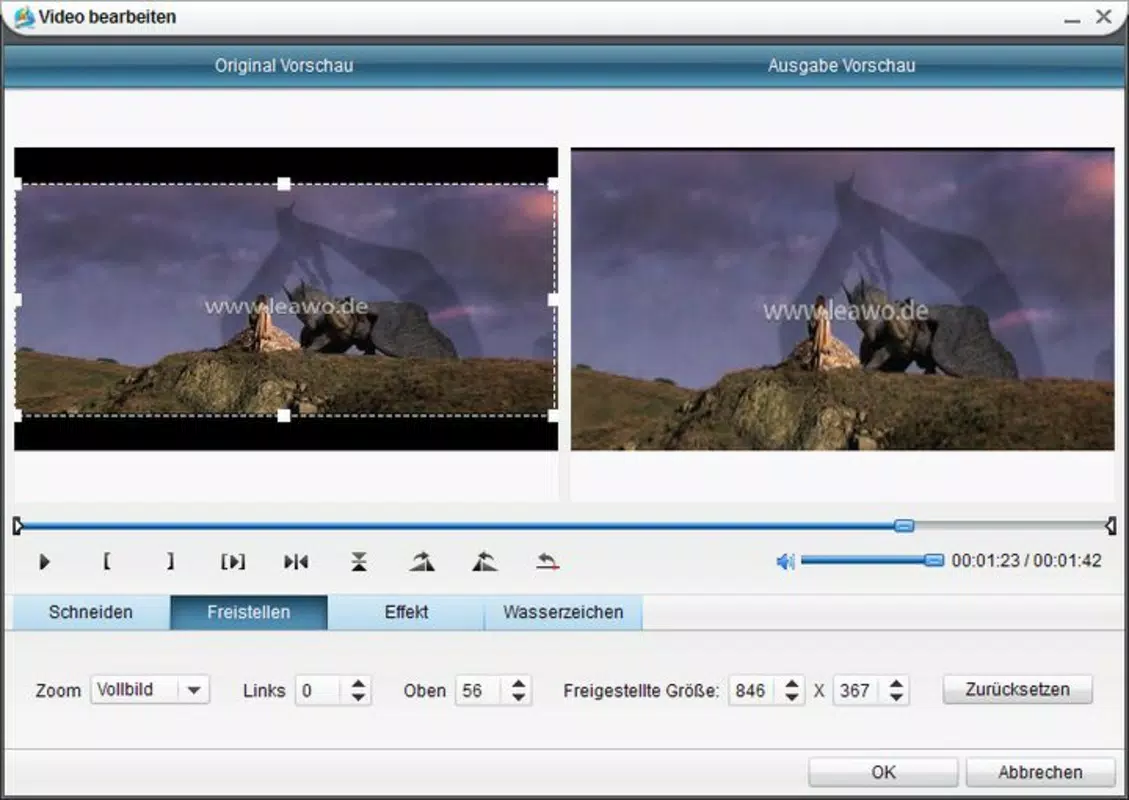
- Integrated Video Editing Tools: Users can trim unwanted segments, adjust brightness, contrast, and audio levels, and modify video parameters before conversion. This empowers individuals to customize their content for better viewing quality or to fit specific device requirements.
- 3D Video Conversion Capability: The software supports transforming standard 2D DVDs into 3D video formats, providing an enhanced visual experience for users with 3D-compatible displays. This feature is ideal for those who wish to modernize their movie collection with immersive playback.
- Secure DVD Backup Function: Leawo DVD Ripper enables users to create digital backups of their physical DVDs. This safeguards valuable content against damage from scratches, wear, or environmental exposure, ensuring long-term accessibility.
- Device-Specific Presets: The tool includes optimized presets for various devices, including Android phones, iOS tablets, and media players. This streamlines the conversion process by automatically adjusting settings for optimal performance and compatibility.
For example, a user with a collection of family home videos on DVD can use the trimming and editing tools to shorten clips, convert them to MP4, and save them to a smartphone for easy sharing. Similarly, a movie collector can back up rare or out-of-print DVDs and convert them into 3D formats for enhanced viewing on a compatible TV. These real-world applications demonstrate the practical value of Leawo DVD Ripper in personal media management.
Interface, UX & Performance
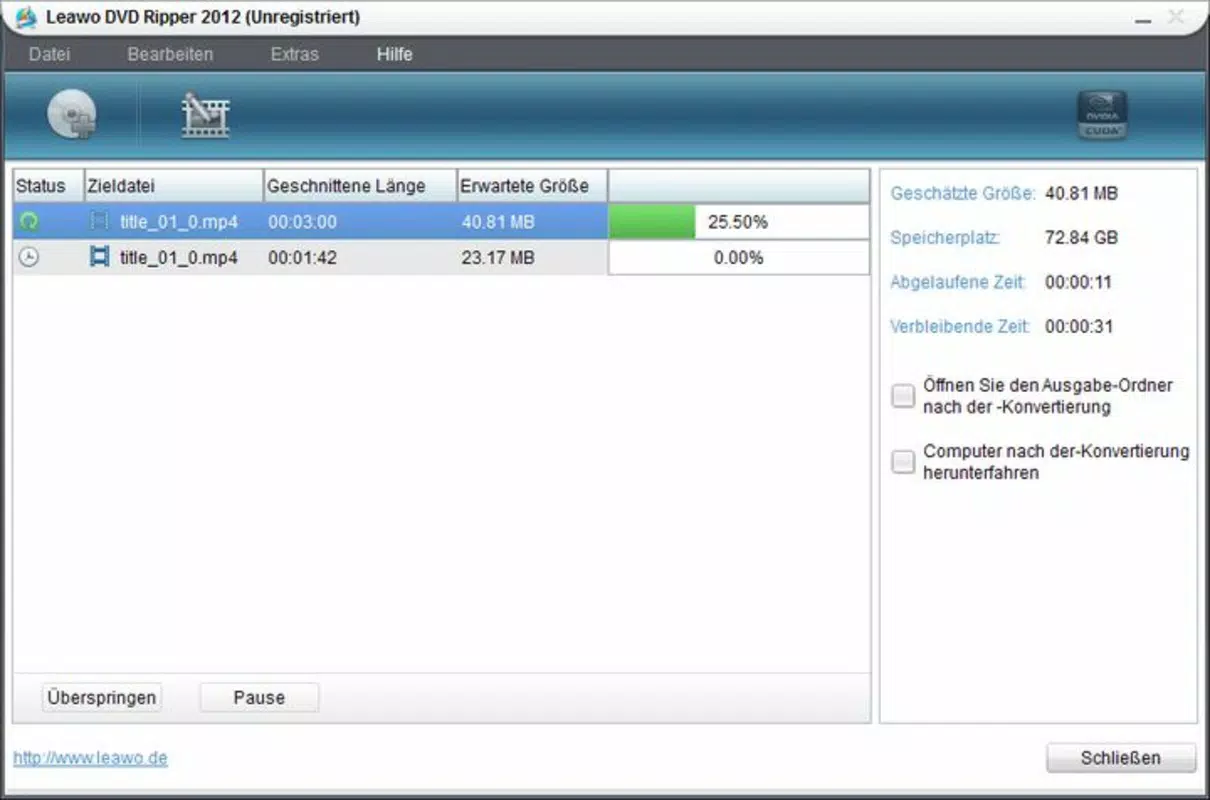
The interface of Leawo DVD Ripper is described as clean and accessible, prioritizing ease of navigation for both novice and experienced users. The layout is organized around core functions—inserting a DVD, selecting output format, applying edits, and initiating conversion—ensuring a logical workflow. Visual cues and clearly labeled buttons reduce the learning curve, allowing users to complete tasks efficiently without extensive training.
Navigation is designed to minimize user confusion, with a step-by-step process that guides users through each stage of the ripping and conversion workflow. The software maintains a consistent visual style, with intuitive icons and organized panels that help users locate features quickly. Responsiveness is maintained across different screen resolutions, though specific performance metrics were not provided by the developer.
Although the developer did not list formal performance metrics, the application is expected to function reliably on standard Windows systems. Stability during long ripping sessions is implied by the inclusion of backup and conversion safeguards. The software does not appear to consume excessive system resources during operation, which is essential for maintaining smooth performance while managing large video files. Overall, the user experience reflects a balance between functionality and usability, making it a practical tool for regular media management tasks.
Platform Compatibility & Technical Requirements
Leawo DVD Ripper is designed exclusively for the Windows platform, ensuring compatibility with a wide range of desktop systems running Windows operating systems. The software requires version 10.0.0, which indicates it is optimized for modern Windows environments. The file size is 246.9 MB, suggesting a compact installation that does not require significant disk space.
Specific system requirements such as RAM, processor type, or minimum OS version were not listed by the developer. As a result, users should ensure their system meets general Windows compatibility standards for multimedia applications. The software does not appear to be available for Android, iOS, or other mobile platforms, limiting its use to desktop environments. Compatibility with external DVD drives is assumed, though not explicitly confirmed. Users should verify that their hardware supports DVD reading and writing functions.
Pros and Cons
Pros
- Supports multiple output formats for broad device compatibility
- Includes built-in video editing tools for customization
- Offers 3D video conversion for enhanced viewing experiences
- Provides secure backup functionality for physical DVDs
- Features device-specific presets for optimized output
Cons
- Available only for Windows, not mobile platforms
- Price point of $49.95 may be high for casual users
- No information on system requirements or performance benchmarks
- Limited to desktop use; no cloud integration or mobile access
- Requires a physical DVD drive for operation
FAQ
Is Leawo DVD Ripper safe to download and install?
Yes, the software is developed by Leawo Software and distributed through official channels. As with any third-party application, users should download from trusted sources to ensure security.
Can I use Leawo DVD Ripper on Mac or Linux systems?
No, the application is currently available only for Windows operating systems. There is no official version for Mac or Linux.
Does the software support 4K video output?
Based on the provided information, the software supports standard and 3D video formats but does not explicitly mention 4K resolution output. Users should verify compatibility with their source material.
How often are updates released for Leawo DVD Ripper?
Updates are typically released to improve performance, add format support, and fix bugs. The most recent version is 10.0.0, released on April 23, 2020. However, no information on update frequency is available.
Do I need a DVD drive to use this app?
Yes, the application requires a physical DVD drive to read and rip content from DVDs. It cannot process digital files or streams directly.
Final Thoughts
Leawo DVD Ripper stands out as a powerful desktop utility for anyone looking to digitize, edit, and preserve their DVD collections. Its combination of format versatility, editing tools, and 3D conversion capability makes it a valuable asset for multimedia enthusiasts and archivists alike. While the price may be a barrier for occasional users, the comprehensive feature set justifies the investment for those with substantial DVD libraries or specific playback needs.
The software’s user-friendly interface and reliable performance further enhance its appeal. Although it lacks mobile support and detailed technical specifications, its core functionality is robust and well-structured. For users seeking a secure, all-in-one solution for DVD management on Windows, Leawo DVD Ripper delivers strong value.
Download Leawo DVD Ripper now


